Availability that makes sense
Separate services or facilities, suitable slot lengths, capacity and blocked times. Customers see the options relevant to their booking.
— Less back-and-forth. More bookings.
Let customers find a suitable slot, book and receive the details. An online booking experience designed around the way your business runs.
What we do
We map your services or facilities, availability, customer details and booking rules. Then we connect the agreed booking tools to your website. Email confirmations, SMS to phone numbers, calendar entries and notifications to your team can be configured where the chosen service supports them.
Separate services or facilities, suitable slot lengths, capacity and blocked times. Customers see the options relevant to their booking.
Send booking details to customers and staff by email. SMS and other supported channels can be added, with provider charges and consent requirements agreed first.
Calendar connections, supported team tools, payment or deposit options and cancellation rules. We confirm what is possible with your chosen system rather than promise every integration.
Real project / Kings Forest Livery
A welcoming, easy-to-navigate website for an equestrian business, complete with online booking facilities.
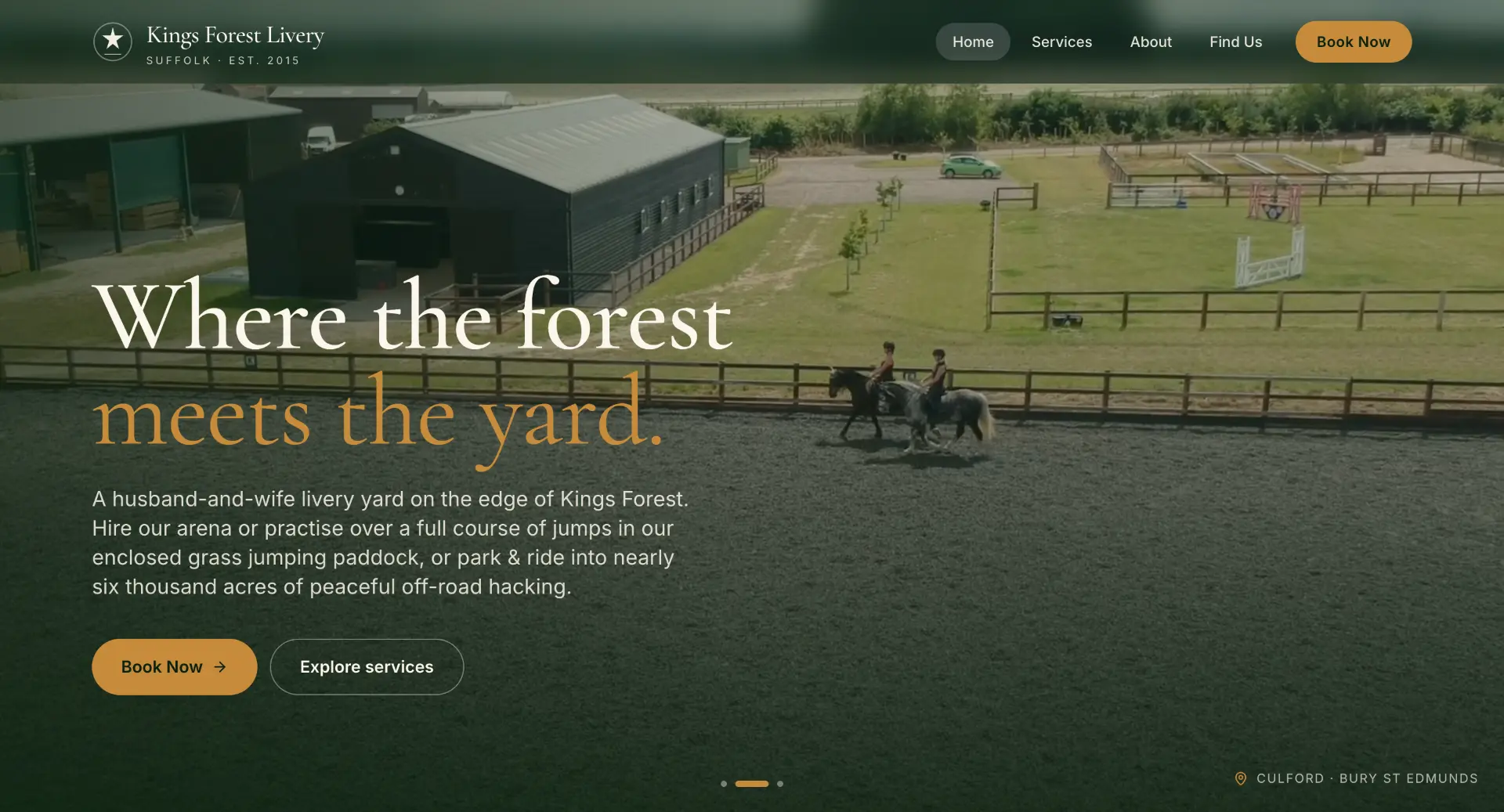
The supplied screenshots show the website and facilities, not the live booking screens. The example below illustrates a possible customer journey.
Illustrative booking journey
A demonstration inspired by Kings Forest Livery’s arena and jumping paddock bookings, not live availability. Notifications below are proposed options, not a claim about the existing system.
Each facility can have its own booking rules and availability.
Example slots · Arena
Collect the details your team needs before confirmation.
Example Email confirmation
Arena · 10:00
Your booking details, location and next steps would appear here.
How we work
Customer selects a service or facility and sees availability.
Customer provides the required details and completes the agreed booking steps.
Confirmation reaches the customer and your team through the channels you choose.
A few useful answers
Yes, through supported options such as SMS, email on your phone or calendar notifications. SMS fees and third-party integrations are quoted separately where applicable.
That can be configured where the system supports routing by staff, service or facility. We agree the recipients and access permissions during setup.
The next step
Tell us what you have in mind. We’ll put together a clear scope and a quote before anything starts.
Start a conversation